Welcome to the Galaxy S world
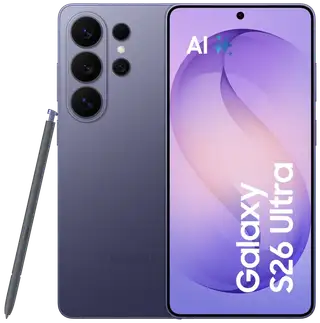
It's time to upgrade your Galaxy. Next-generation Galaxy AI simplifies everyday tasks, while enhanced performance and increased battery life keep you ready for any surprises. Enjoy your favorite content on a breathtakingly large display and take high-resolution photos with the advanced camera system. Everything you need, everything you desire – in one incredible device.
Choose your favorite
Every moment captured with high ProVisual detail
Super stable video. Now even more stable
Turbo-fast data processing
Get 6 months of Google AI Pro for free
Thoughtful design for everyday life
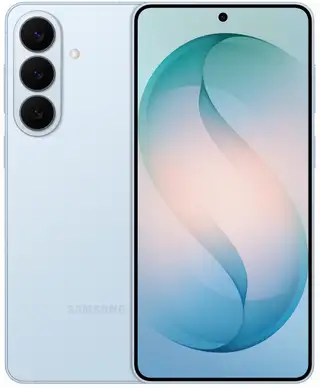
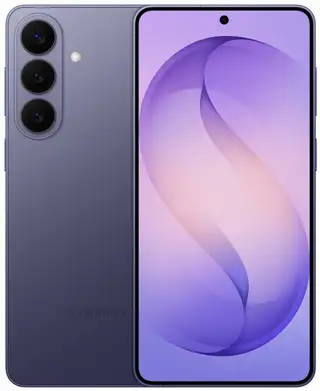
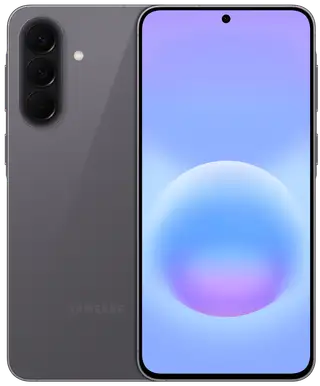
The Galaxy S26 FE combines sophisticated premium design, durable materials, and the iconic Galaxy silhouette. Clean lines, balanced proportions, and refined finishes create an elegant design, while its rugged construction ensures reliability in daily use. This design strikes a balance between durability and modernity for those who appreciate both time-tested things and novelties.
Choose your shade
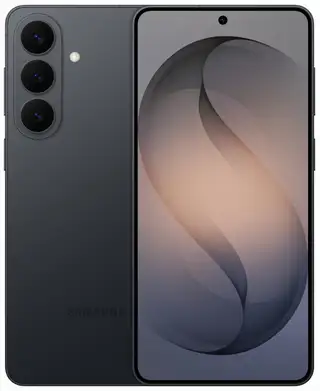
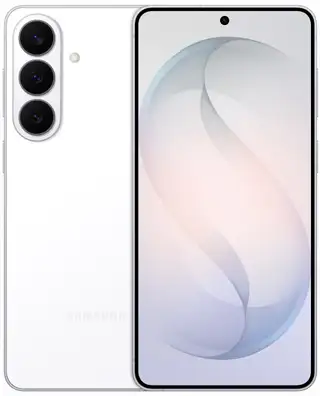
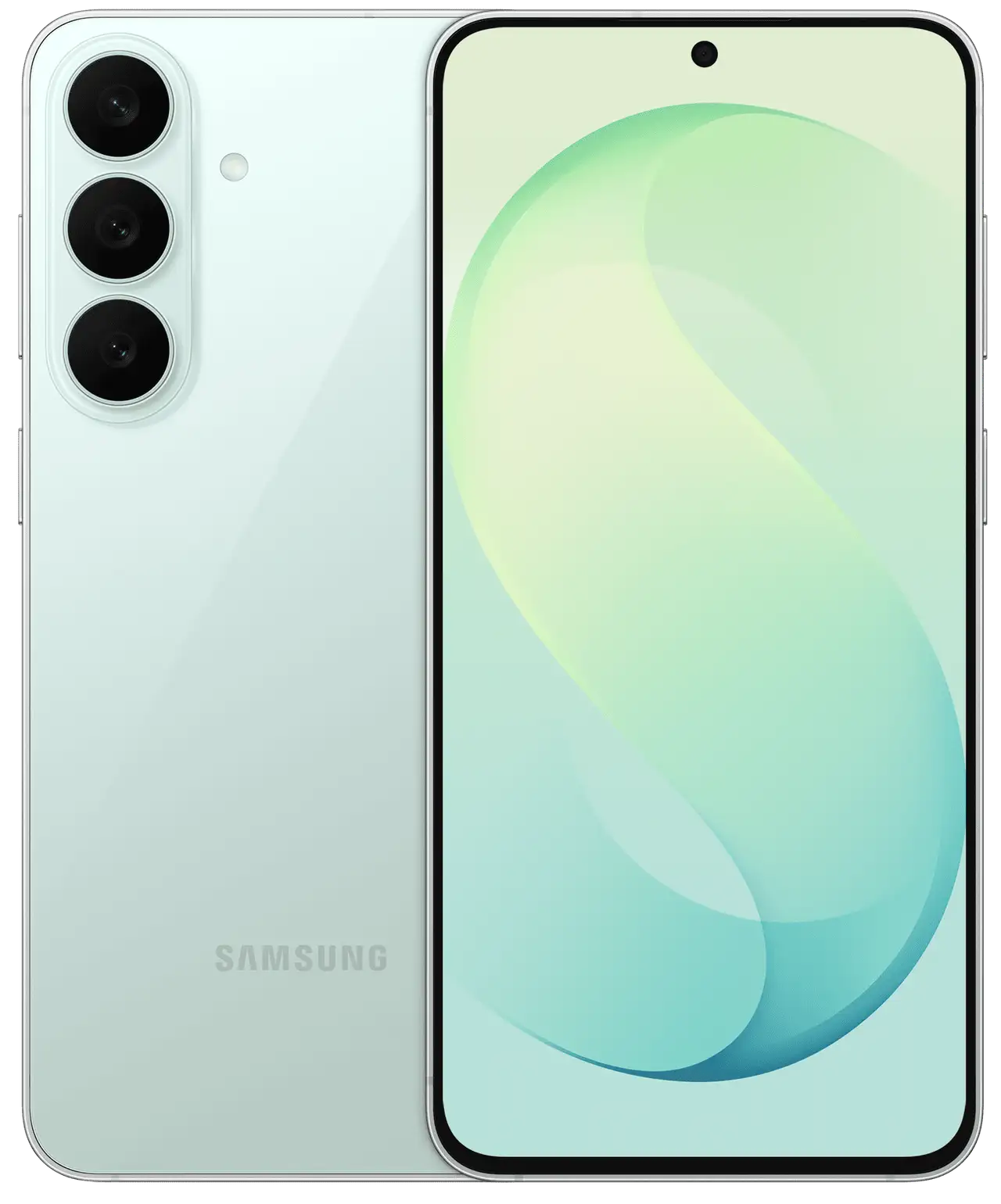
The Galaxy S26 FE is available in three original colors, each carefully selected to harmoniously complement your lifestyle. From the restrained confidence of Graphite to the fresh energy of Pistachio and the vibrant character of Indigo – each color has its own unique vibe. Find the signature color that fits your style.
Sophisticated look, robust construction
The Galaxy S26 FE combines a slim and comfortable design with reliable protection for everyday adventures. The smartphone body is protected by Corning® Gorilla® Glass Victus®+ and an aluminum alloy frame, making it not only exquisite to look at and pleasant to touch, but also built to last. With IP68 dust and water resistance, you can be confident in your device's protection against life's any challenges.
*Back glass does not include camera glass. Frame does not protect volume keys, side keys, or SIM card tray.
* Galaxy S26 FE has an IP68 rating. Based on laboratory test conditions for immersion in fresh water up to 1.5 meters for up to 30 minutes and protection against solid objects larger than 1 mm, such as wire. Not recommended for use at the beach or pool. Device water resistance is not permanent and may decrease over time due to normal wear and tear.
Explore our camera specifications
Every moment captured with high ProVisual detail
Capture sharp, high-resolution photos and videos – from the moment you shoot to the moment you view them. Powered by the ProVisual Engine, the Galaxy S26 FE enhances image quality and preserves details across a wide variety of shooting conditions. Make every shot unforgettable with sharp details, vivid colors, and lifelike clarity – effortlessly.
* Results may vary depending on lighting conditions and/or shooting conditions, including multiple subjects, blur, or subject movement.
* Photos shown are simulated for illustrative purposes only and were not shot with the Galaxy S26 FE.
Meet the night
Some of the best moments in life happen after sunset. With the Galaxy S26 FE, photos and videos will be sharp and vibrant even in low-light conditions, image noise will be reduced, and details preserved, so you can gladly share your night memories.
* Results may vary depending on lighting conditions and/or shooting conditions, including multiple subjects, blur, or subject movement.
* Photos shown are simulated for illustrative purposes only and were not shot with the Galaxy S26 FE.
Closer. Even closer. Wow!
Looking closer reveals more. 50 MP Zoom technology helps preserve detail clarity when zooming in, ensuring textures, colors, and fine elements that caught your eye remain sharp in the shot. Sometimes details make the biggest impression.
* Optical quality zoom is provided by the Adaptive Pixel sensor. 3x optical zoom. 2x optical quality zoom.
* Photos shown are created exclusively for illustration purposes and were not shot with the Galaxy S26 FE.
Fit more into every selfie
Trying to fit everyone into one selfie? The upgraded 12 MP front camera gives you more space so both your friends and the background easily fit in the frame. This time, no one will be left out.
* Results may vary depending on shooting conditions, including multiple subjects, defocus, or moving subjects.
* Photos shown are simulated for illustrative purposes only and were not shot with the Galaxy S26 FE.
Super Steady Video. Now more stable
Super Steady horizontal lock combines extended optical angles with a gyroscope and acceleration sensors to recognize gravity direction and keep the frame level, even if you rotate the device 360°. Whether riding rocky trails or trying to finish as fast as possible - get smoother, shake-free videos every time.
* Super Steady application results may vary depending on the editing method and/or shooting conditions.
* Photos shown are simulated for illustrative purposes only and were not shot with the Galaxy S26 FE.
Choose your favorite
Take a group photo of everyone at an event or gathering with friends, then highlight a specific person using Galaxy AI. On the Galaxy S26 FE main screen, wide-angle shots can be transformed into single-subject focus shots and cropped to your chosen aspect ratio, making editing directly from the Gallery easier and more precise.
* My FanCam activation requires a Samsung account login. Availability may vary by video. Not supported if there is no object to track.
* Samsung makes no promises, assurances, or guarantees regarding the accuracy, completeness, or reliability of results provided by AI features.
* Basic Galaxy AI features provided by Samsung are free. Future versions may include advanced features or new services provided on a paid basis. Different terms may apply to artificial intelligence features provided by third parties. Basic Galaxy AI features are services listed in the «Advanced Intelligent Features» section of these Samsung Terms of Service.
Instant sound control during video playback
Adjust the sound and hear more, even amidst external noise. From live streams to recorded social media content – Audio Eraser helps reduce unwanted background noise, making voices and other important sounds clearer.
* Audio Eraser results may vary for each video depending on the sounds present in the video. Samsung account login required. Certain types of sounds can be recognized, such as voices, music, wind, nature, crowd, and noise. Compatible with common video and audio formats available in Gallery, Samsung Notes, Video Player, Voice Recorder, and call transcription apps. Actual sound recognition may vary depending on audio source and video state.
* In some apps, multimedia playback volume can also be adjusted from the quick settings panel.
* Samsung makes no promises, assurances, or guarantees regarding the accuracy, completeness, or reliability of results provided by artificial intelligence features.
* Basic Galaxy AI features provided by Samsung are free. Future versions may include advanced features or new services provided on a paid basis. Different terms may apply to artificial intelligence features provided by third parties. Basic Galaxy AI features are services listed in the «Advanced Intelligent Features» section of these Samsung Terms of Service.
Edit photos in your own words
Photo Assist brings your imagination to life. Simply describe what you want to see in the photo and generate images based on your words and examples – without any complex editing tools. For any needs – whether developing a creative concept, personalizing content, or bringing an idea to life – it's an easy way to create everything in seconds.
* Photo Assist may require network connection and Samsung account login. Service availability may vary by country, language, or device model. Using Photo Assist may result in resizing the photo. Upon saving, a visible watermark is applied to the resulting image indicating that it was generated by artificial intelligence.
* Samsung makes no promises, assurances, or guarantees regarding the accuracy, completeness, or reliability of results provided by artificial intelligence features.
* Basic Galaxy AI features provided by Samsung are free. Future versions may include advanced features or new services provided on a paid basis. Different terms may apply to artificial intelligence features provided by third parties. Basic Galaxy AI features are services listed in the «Advanced Intelligent Features» section of these Samsung Terms of Service.
Simple built-in scanning function
Scan documents and memorabilia without using extra apps. Document Scan helps remove distractions like fingers in the frame and folded corners, while Multi Scan lets you scan multiple documents simultaneously. Want to save a concert ticket, collect travel memories, or share an event on social media? With this feature, you can effortlessly create clean, publication-ready scans in just a few taps.
* Document area must occupy at least 20% of the camera screen. If the document contains only images without text, it may not be recognized as a document in Photo Mode. The original document must be rectangular. All four corners of the document must be fully visible within the camera screen without any obstructions. The shooting angle must be within 20 degrees after setting to 0 degrees when the document surface and camera are level. Folding correction is possible within two revolutions and in the range of 130 to 180 degrees. If the document is crumpled, it must be placed flat on the floor at the corner of the A4 short axis, with the distance between the floor and document less than 4 cm. After removing shadows, traces may remain on documents with strong shadows or color marks. There must be a gap of at least 0.8 cm between objects (text, tables, images, etc.) and obstructions (fingers, folded edges). The feature is not supported if the object and obstruction are not separated or overlap. Moire removal limitations may result in residual moire if the moire is very pronounced. Filters applied only to documents may yield unwanted results if applied to frames where the document is not visible. Supported saved file formats: JPEG or PDF. Supported input file formats for Multi-Scan image import: JPEG, HEIC, PNG, BMP, WebP, or GIF. Supported input file formats for gallery scanning: JPEG or HEIF (JPG, HEIC). Feature usage may be limited at certain temperatures.
* Multi-Scan supports simultaneous scanning of up to 350 pages on devices with One UI 9 or later. Supported input file formats for Multi-Scan image import: JPEG, HEIC, PNG, BMP, WebP, and GIF.
Your Galaxy. Your rules
The new One UI 9 is capable of much more – from executing routine tasks to suggesting useful actions and adapting to your personal preferences and usage habits. Thanks to deeper AI integration into the system, you get more freedom for productivity and creativity. Experience the seamless operation of your Galaxy's intelligent capabilities, empowering you to see more, create more, and understand more.
Your privacy. Protected.
We take responsibility for protecting your information while ensuring transparency regarding its use and transfer.
Individual controls
Take control of your Galaxy AI. You decide where data is processed: on-device or in the cloud.
Connected security
Trust Chain technology powered by Knox Matrix ensures the security of all connected Galaxy devices, so you can control the security of other devices right from your Galaxy smartphone.
* Personal Data Engine operates when the Personal Data Intelligence menu is enabled. Analyzed data will be deleted after disabling the Personal Data Intelligence menu. Personal Data Engine recognizes selected languages and certain accents/dialects, including Arabic, Chinese (Simplified), Dutch, English, French, German, Hindi, Indonesian, Italian, Japanese, Korean, Polish, Portuguese, Romanian, Russian, Spanish, Swedish, Thai, Turkish, and Vietnamese. Personal Data Engine currently analyzes Samsung's own apps and notifications from supported apps.
* KEEP feature is available on Galaxy smartphones and tablets running One UI 8 or later.
Circle to Search
For Google search, use Circle to Search to find multiple elements of a single look: simply circle clothing on the screen, and the system helps find every item — from outerwear to shoes and everything else — in a single search. You can circle an object, search, and find the desired look right where you are.
* Google is a trademark of Google LLC. Sequences are shortened and simulated. Results are for informational purposes only. Service availability may vary by country, language, device model. Available on select devices; internet connection required. Works in compatible apps and on respective surfaces. Results may vary depending on visual comparisons. Users may need to update Android and Google apps to the latest version. Result accuracy is not guaranteed. Not available in apps that prohibit screenshots. Visit the webpage to find languages supported by Google search — Circle to Search: https://support.google.com/websearch/answer/16011537?visit_id=638863890792571848-2380469398&p=aimode&rd=1#zippy=%2Csupported-countries-territories%2Csupported-languages
Vibrant display for total viewing immersion
Enjoy your favorite content on the large 6.7-inch FHD+ display, designed for complete viewing immersion. With a 120 Hz refresh rate, scrolling, streaming, and everyday actions run smoothly and quickly. From stunning natural landscapes and travel videos to photos and everyday entertainment – vivid colors and pronounced details make every event even more captivating.
* Measured diagonally: screen size is 6.7 inches | 171.1 mm in the full rectangle and 6.6 inches | 166.4 mm accounting for rounded corners. Actual viewing area is smaller due to rounded corners and camera hole.
Charge fast. Play more
The 4,900 mAh battery is built for long-lasting performance, ensuring uninterrupted device operation whether you're tackling heavy work or relaxing with your favorite content. On a single charge, the Galaxy S26 FE plays up to 29 hours of video, letting you fully immerse yourself in your favorite content. Wired 45W and wireless 15W chargers let you get back to important matters faster without wasting time waiting.
* Actual battery life may vary depending on network environment, features and apps used, call and message frequency, number of charges, and other factors. Rated capacity of Galaxy S26 FE is 4,755 mAh.
Turbo-fast data processing
Equipped with a modern processor delivering speed, responsiveness, and efficiency, the Galaxy S26 FE helps you stay productive, creative, and connected all day long. High CPU, GPU, and NPU performance helps accelerate all processes – from multitasking to content creation, while optimized data processing ensures seamless daily use.
* Performance may vary depending on game optimization, used apps, and device settings. Cooling efficiency depends on external conditions and usage intensity.
* AP performance improvement applies to Galaxy S26 FE compared to Galaxy S25 FE. Actual performance will depend on user conditions, settings, and pre-installed software and apps.
Stay connected at ultra-high speed
With the Qualcomm® FastConnect™ 7800 mobile connectivity system, you always stay connected at ultra-high speeds, so whenever inspiration strikes, you're ready to bring it to life. Fast and reliable wireless connection keeps you always in the loop. Be at the center of all major events.
* Image simulated for illustrative purposes.
* Qualcomm branded products are products of Qualcomm Technologies, Inc. and/or its subsidiaries.
Switch with ease
Just imagine how many possibilities await you with our most powerful devices. Switch to Galaxy and discover a world where all your technologies interact seamlessly, providing easy connection and control.
* Data transfer from iOS to Galaxy using the updated method is possible if the Galaxy device has Android™ 17 or later and One UI 9 or later, and the iOS device has iOS 26.6 or later.
Quick sharing
Quick Share lets you instantly send photos, videos, and files to nearby Samsung Galaxy devices without cables or apps. Now Quick Share supports AirDrop®, allowing you to seamlessly and securely share content with friends, family, or colleagues, making collaboration and data sharing on your phone faster and simpler than ever.
* Availability may vary. Compatibility is supported exclusively by Google. Compatible devices required. Device must be within Bluetooth range. AirDrop® is a registered trademark of Apple Inc.
* Quick Share between Galaxy devices is available on the following OS: smartphones and tablets with Android OS version 10.0 (Q) and One UI 2.1 or higher. Samsung account and Wi-Fi and Bluetooth connection required. To share files with Apple devices, a Galaxy device with Quick Share app version 13.8.51.27 or later and Google Play services version 26.11.xx or later is required. * When searching for Apple devices or sharing data with them, your phone may temporarily lose connection to Wi-Fi networks.
Simple data sharing
Use the data transfer feature to move data from your old phone to the Galaxy S26 FE. Thanks to the enhanced data transfer process, you can easily and wirelessly transfer data from your old iPhone to your new Galaxy simply by scanning a QR code. With this feature, you will quickly and securely transfer your contacts, photos, messages, and apps from any device in just a few minutes. This seamless process will help you immediately start enjoying the powerful features, vibrant display, and smooth operation of the Galaxy S26 FE without losing a single minute.
* Data transfer from iOS to Galaxy using the updated method is possible if the Galaxy device has Android™ 17 or later and One UI 9 or later, and the iOS device has iOS 26.6 or later.

 1 / 10