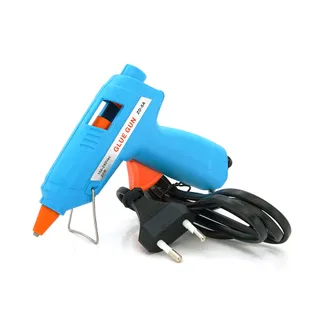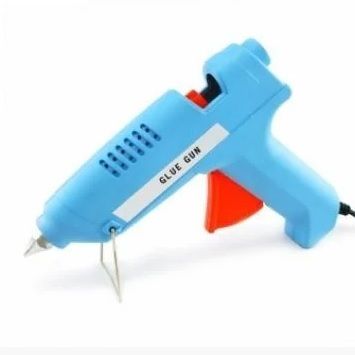
Hot glue gun 220V ZD-7A (60W)
Voltronic
468 ₴
 1 / 2
SKU YT-SL-103
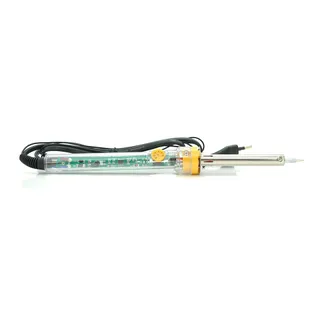
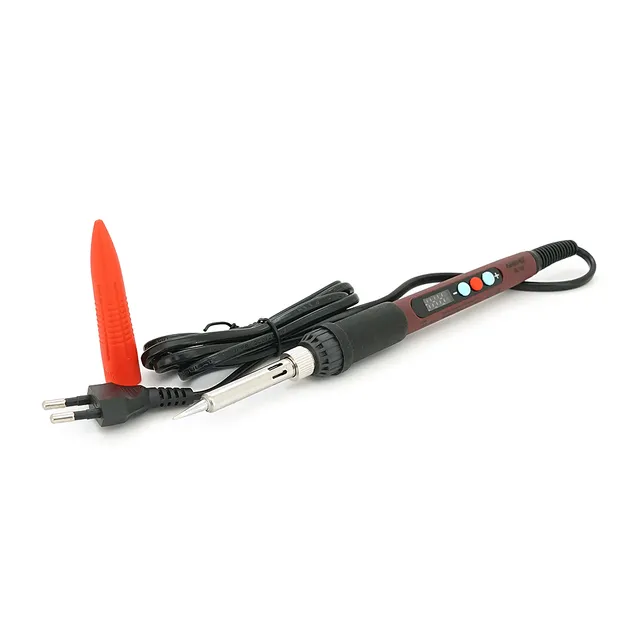
The ANENG SL103 soldering iron is a high-quality compact soldering iron with temperature control. The soldering iron features a ceramic heating element, temperature control buttons, and a display for information readout. The adjustable temperature range is from 180°C to 500°C (calibration error is less than ±5 °C).
The soldering iron has comfortable ergonomics and a non-slip handle, resting well in the hand. The durable ceramic element quickly heats up to the required temperature, which is conveniently set and displayed on the LCD screen. The tip is made of stainless steel, ensuring a long service life. The soldering iron has the capability for precise tip temperature calibration.
Technical specifications:
• Voltage: AC110-240V
• Power: 60W
• Temperature range: 180-500°C
• Temperature stability: ±5°C
• Heating element: Ceramic
• Heating time: 20-50 s
• Alarm: EAO (open heating element)
• Cord length: 1.2 m
Temperature settings:
1. To increase the operating temperature by a single step, press the “+” button once; holding the “+” button will continuously increase the temperature.
2. To decrease the operating temperature by a single step, press the “-“ button once; holding the “-“ button will continuously decrease the temperature.
3. Saving of the set temperature values occurs 3 seconds after no further presses. Saved values are also retained when turning on the soldering iron.
4. The full tip heating time is approximately 30s to 50s.
Calibration: (Usually calibration is performed at a set temperature of 320 degrees).
Set the operating temperature to 320°C.
Place the soldering iron tip on a thermometer (thermocouple); after turning on, for approximately 90 seconds, add a small amount of solder to the tip so that the soldering iron tip and thermocouple make full contact.
Wait 2s to 4s after the temperature reading stabilizes and record or remember it.
Disconnect the soldering iron from the thermocouple, press the “-“ and “+” buttons simultaneously, and you will enter the temperature calibration interface.
Using the “-“ and “+” buttons, adjust the temperature value to the desired target.
To exit calibration mode, press the “-“ and “+” buttons simultaneously again.
Temperature display selection:
With the power turned off, simultaneously press the “-“ and “+” buttons and, holding them, turn on the soldering iron.
After turning on the soldering iron, release the buttons.
Upon entering the setup menu using the “+” key, select the C/F temperature display option, then exit the setup menu.
Dispatch to post branches, parcel lockers, or by courier to your doorstep. All packages are insured for 100% of value. Delivery time: 1–3 business days.
Flexible options: Cash on delivery at Nova Poshta branch or bank transfer invoice (IBAN) for individuals, FOP and companies.